- Click the File menu, and then select Import.
- Select the Import Songs and Collections option, and then click Next.

- Choose the import file location, and then click Next.

- Choose the songs to import, and then click Next.

- Choose the collections to import, and then click Finish.

- Choose to replace (or preserve) existing songs or collections if prompted.

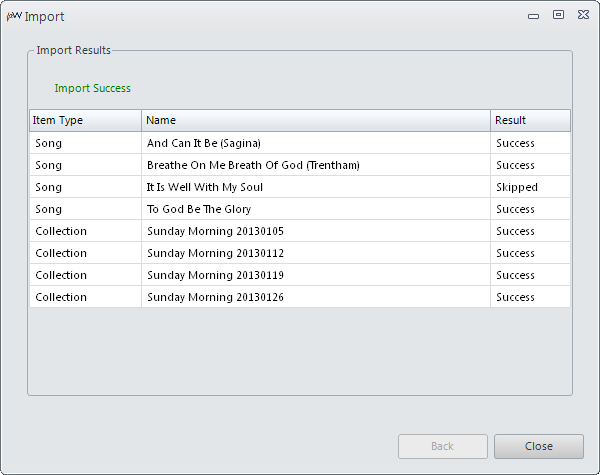
- Review the import results, and then click Close.
Note: Existing items that were not replaced will show up in the results as "Skipped".
Related Topics
Importing Songs and Collections
Exporting Style Settings
Importing Style Settings